🛠️ Digstober Product Update
Big Wins for Warranty Teams, and some small but mighty improvements.
As we look back at Halloween and inch closer to Thanksgiving, the Digs team is feeling both spooky and thankful; spooky about how fast the year has flown by, and thankful to each of you who keep sending thoughtful feedback that helps us improve every month. 🎃🦃
This October, we focused on clarity, smoother tools, and continued improvements to DigsCare™: Warranty. Heading into November, we have our eyes on finishing out 2025 strong 😎
🧰 DigsCare™: Warranty Improvements
This month, we fine-tuned warranty workflows for both builders and homeowners, the little details that make your post-handoff process shine. Check out all the great new stuff below!
Warranty End Dates
You can now set a Warranty End Date in your Project Settings.
Dates are visible to homeowners in several areas to ensure they are aware of the time box.
Reinforces that warranty coverage has a defined timeline
Prepares for teams, process, and customers for upcoming Aftercare and post-warranty tasks
Group Tickets by Property
Warranty team members can now view tickets in a nested, grouped format.
Use Filter → Group Tickets by / Project
Easily view all tickets for a single home
Search still works seamlessly within your grouped list

Warranty on the Homeowner Dashboard
Homeowners now have a dedicated Warranty section on their Dashboard where they can preview the most recent ticket updates and create new tickets directly from the Dashboard.
This keeps warranty activity visible and easy to manage, and it is right next to your Company logo (if you have uploaded branding).
We Loosened some Homeowner Ticket Actions
Homeowners can now update additional elements of their own tickets:
Select a Category from builder-supplied options. Users cannot create new categories, but if one exists, they can select it. The warranty team can correct it if the wrong choice is made.
Close tickets themselves when resolved
Homeowners cannot Reopen tickets. Your team decides if a reopen request qualifies as a new ask or is part of an existing tracked task.
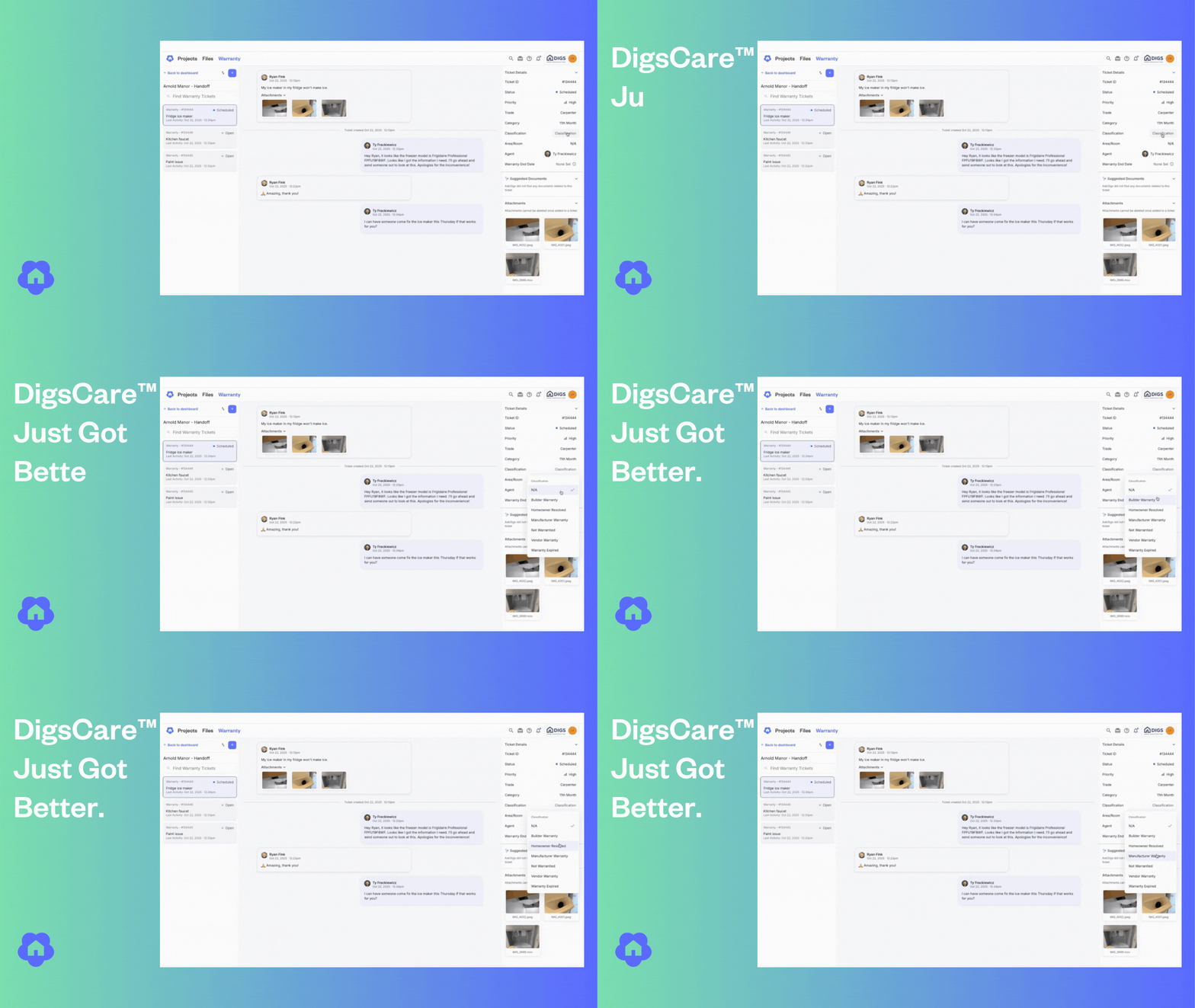
If a homeowner closes a ticket, the builder-side Classification updates automatically to ”Homeowner Resolved”. What is classification you ask? Great question..
Ticket Classification & Priority (Builder Only)
Builders now have two new fields for managing tickets internally:
Classification: Builder Warranty, Manufacturer Warranty, Homeowner Resolved, and Not Covered. etc. Check it out and let us know what other classification labels would be useful.
Priority: Critical, High, Medium, Low, Cosmetic
🔒 These fields are for your internal use only. Homeowners won’t see priority or classification labels.
Check out all the new enhancements today in DigsCare!
⚡ Small but Mighty Updates
Better Zoom Controls
Zoom just got smarter for floor plans and documents:
CTRL/CMD + = → Zoom In
CTRL/CMD - → Zoom Out
CTRL/CMD 0 → Reset to 100%
These shortcuts now zoom the on-screen content, not your browser window. (Note: Windows users use Control, Mac users Command)
Embedded Video Playback
Videos shared via QR codes or links now play directly in your browser.
No download required: just click and watch. (Download links are still available if needed.)
Conflict When Inviting Users
When inviting a user who already belongs to another workspace, you’ll now see a more helpful message explaining why the invite can’t go through and how to fix it.
🐞 Bugs Squashed
✅ Fixed: Selecting a floor plan area in a Warranty ticket sometimes saved the wrong location
✅ Fixed: Older floor plans showing incorrect room highlight styles
✅ Fixed: Comments not appearing in search or Ask Digs results. These comments and data elements were reindexed and the issues are fully resolved
👀 Coming Soon
Public Links & QR Codes for Folders — Say Whaaaaat?!
No joke - soon you’ll be able to share an entire folder with a single public link or QR code.
In addition to one-off file sharing, share a link to a whole folder and any files inside it. Teaser complete - More to come!
🪄 Did you Know
Did you know you can copy and paste annotations, shapes, and measurements from one layer to another? If you put it in the wrong spot, there is no need to throw up your hands, and start over. just Copy Pasta (as the kids say). Select or Highlight what you want to move, use the keyboard shortcut CTRL/CMD+→X to cut (C for copy), then on the corrected layer CTRL/CMD+→V to paste
Check out this video on editing Measurements to see some Copy Pasta examples in action.
Try out all the new features!
Thanks for being part of the Digs community—we’re excited to keep building with you.
— The Digs Team