June Updates: Hot Off the Grill

📣 Signatures: See Exactly Where Things Stand
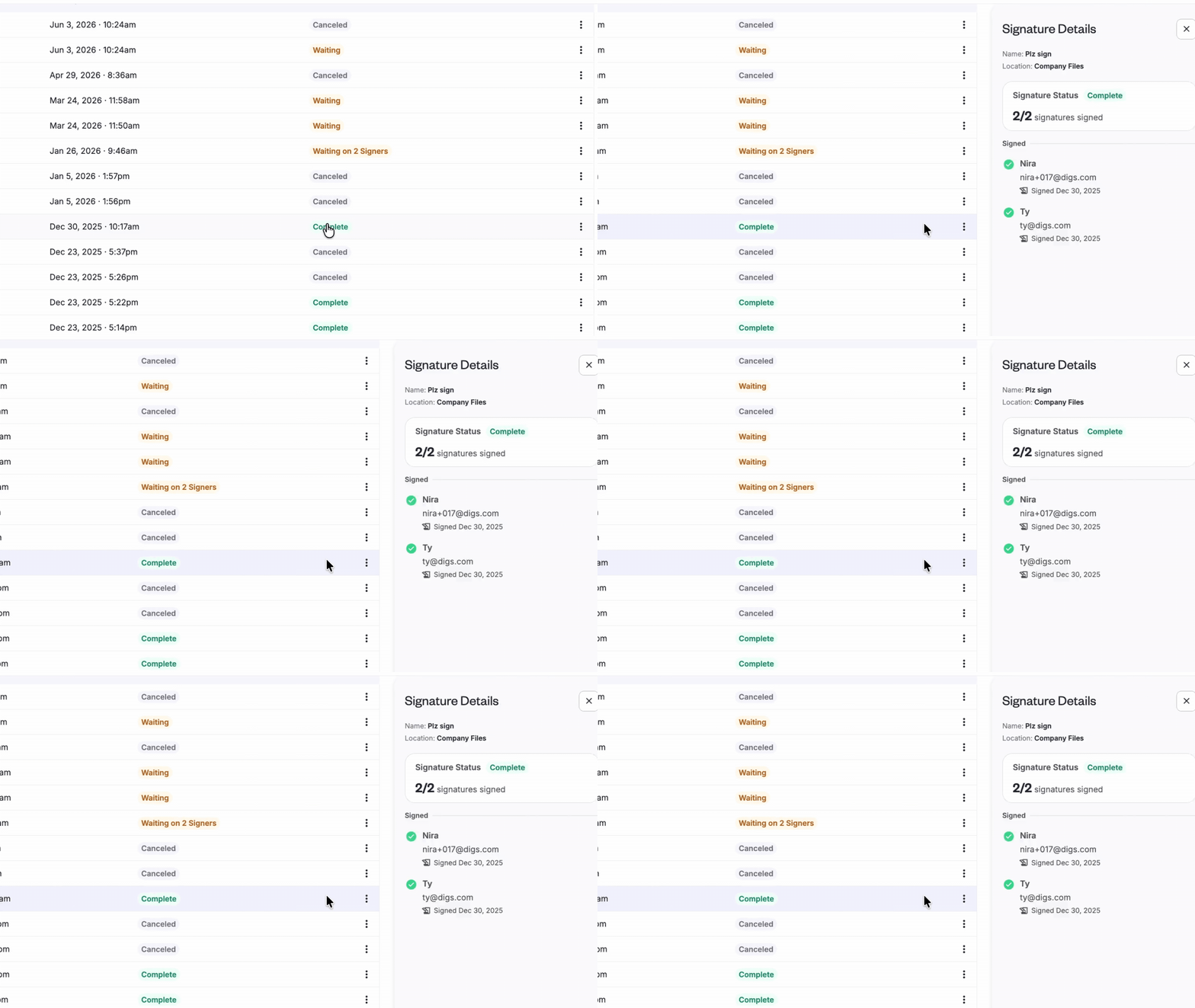
The Signatures side panel got a major upgrade. Click a signature request's status chip to see each signer's progress— signed, pending, or declined— along with a timestamp of their most recent activity.
Waiting on someone? You can see whether they've viewed the request or received a reminder, and when. If you've canceled a request, the panel switches to a "Did Not Sign" view so you're not distracted by activity history that no longer matters.
No more guessing who's holding things up.
👉 Send a Document for Signatures
🚀 Share Conversations in One Click
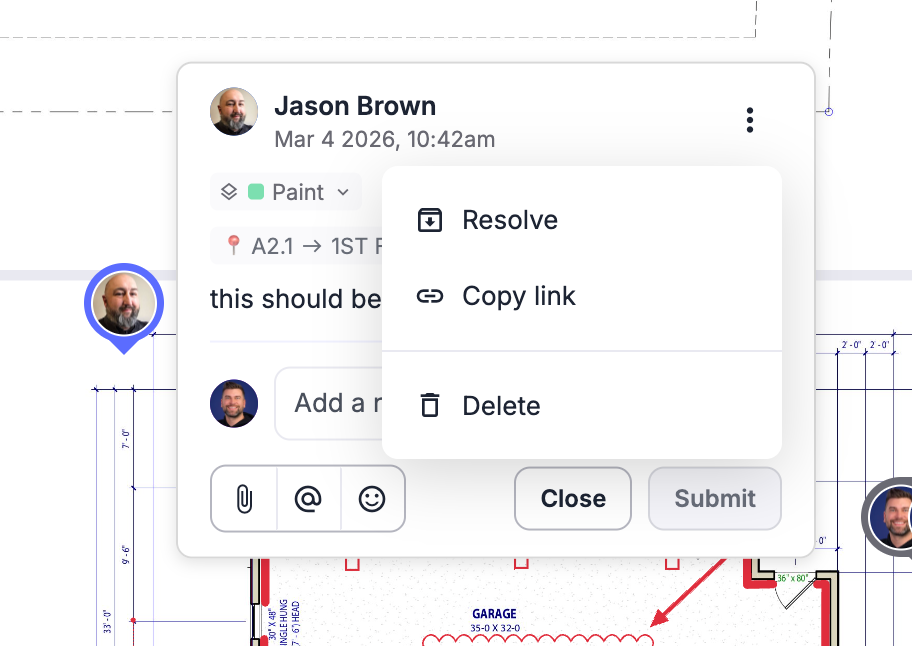
Need to bring someone into the conversation? You can now copy a direct link to any comment or task and share it with your team, trades, or clients.
One click takes them straight to the conversation— no searching required.
✅ Warranty Tracking: Cleaner & More Reliable
We’ve made a few improvements to help you manage and report on warranty tickets more efficiently.
Filter Before You Export: Apply filters to your Warranty Dashboard before generating reports, ensuring you export only the tickets and data you need.
Smoother Ticket Editing: Fixed an issue where special characters (like
?) in ticket subjects could trigger the help menu. Inline editing is now seamless, with no more keyboard conflicts.
👀 Base Layers are now Visible
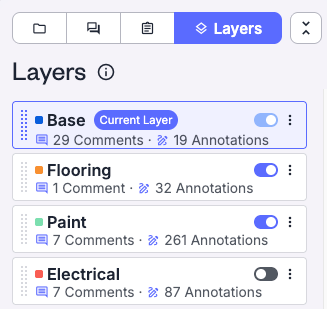
Digs has always had a base layer; you just couldn't see it. This update makes it visible in your layer list so you can toggle it, exclude it from exports, and move items off it to a more specific layer. Nothing about how your data is stored has changed.
📷 Company Cam - A simple path to visual documentation
You don’t need CompanyCam to get the full value of Digs— we’ve built powerful documentation and photo management tools right into the platform.
That said, if your team already uses CompanyCam, the two tools complement each other well. While a formal integration isn’t available yet, many builders are successfully using both to streamline field documentation and project collaboration.
CompanyCam is built for capturing photos on the job site. Digs is built for organizing and storing what matters long term. Used side by side, they give your team a clean way to document project stages from framing to finish, then carry the right records forward into warranty and homeowner handoff.
If you're already using both tools and want to sharpen how your team moves between them, we’d love to hear from you. We're assessing whether a more direct connection makes sense— and that conversation starts by hearing from the people doing the work. The more we understand how builders are using these tools together today, the better we can shape what comes next.
More Details here and a new User Guide
💡 Did you know?
⚡ Pro Tip: Not every document belongs in the homeowner’s project.
Separate internal and homeowner files from the very start. Hand off becomes much simpler when everything is already organized.