New In Digs: Kickin' Off 2026 With A Bang
Hello Digs Community!
We’re kicking off the new year with a ton of momentum and even more gratitude. Your feedback over the past year has been invaluable, and it’s directly shaped what we’re building next. From smarter tools to smoother workflows, 2026 is already shaping up to be a big one. Below is just a glimpse of some of the exciting new features we’ve launched recently and a preview of what’s to come. Let’s build something great together.
📣 Public QR Codes for Folders
Sometimes the smallest ideas make the biggest difference.
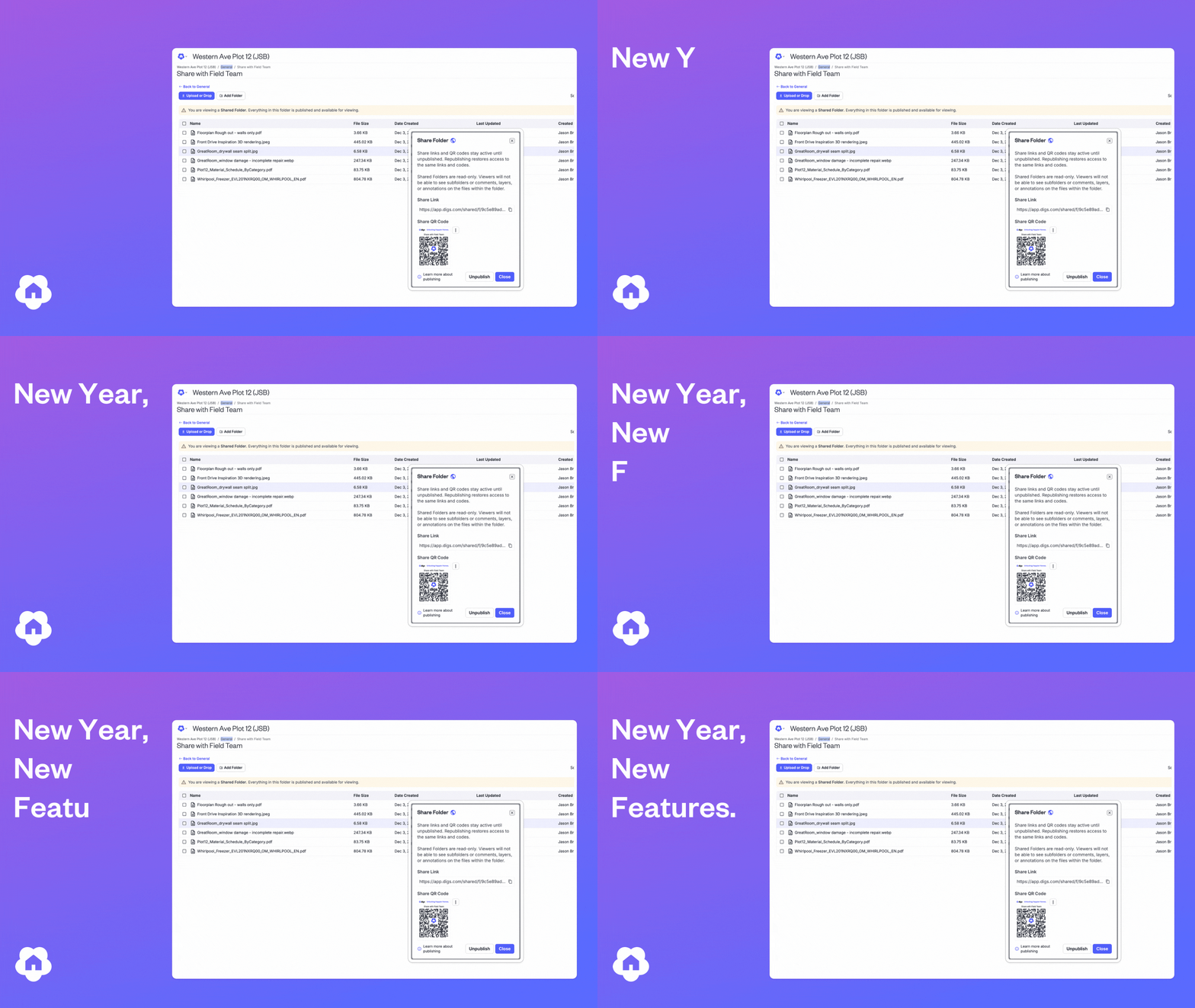
You can now share an entire folder using a single public link or QR code. Add, remove, or replace files at any time, the link stays the same, and viewers always see the latest version. No more resending links or wondering if someone has outdated documents.
This is especially helpful for sharing evolving materials with homeowners and partners throughout a build.
Good to know: Shared folders are read‑only. Viewers won’t see subfolders, comments, layers, or annotations.

DigsCare Warranty Improvements
Clearer Warranty Ticket Statuses
Warranty tickets now reflect real‑world progress with expanded statuses like Assigned, Awaiting Reply, On Hold, Work Completed, and Resolved. Builders and homeowners can understand what’s happening at a glance—no guesswork required.
Beyond daily clarity, these updates unlock better insights over time. Builders can track turnaround, spot bottlenecks, and measure performance, while homeowners benefit from a more transparent warranty experience.

Check out all the new enhancements today in DigsCare!
✅ Clearer, More Actionable Task Management
Tasks are now distinct from comments, making it easier to see what needs action versus what’s just conversation. Tasks are marked with a green clipboard icon and surfaced in a dedicated Tasks section in the Dynamic Island.
This gives teams one place to track important work across a project—without digging through threads.
Coming January 2026: Task due dates and reminders, building on Digs’ scheduling capabilities to keep teams even more aligned.

👀 See Comment and Task Locations Before You Click
You no longer need to open the Dynamic Island to understand where a comment or task lives. Comments and tasks now show their location context upfront, helping you quickly decide what’s relevant.
This reduces friction—especially on mobile—and makes it easier to focus on the areas of the home that matter most to you.
As an added bonus, we have simplified comment moving! By simply using the Pan/Move icon, you can grab and move a comment and place it to your desired place on the canvas.

💪 Small but Mighty Improvements
Branded Emails for Pro Workspaces
Emails sent to users now reflect your brand. If you’re on a Pro plan and have uploaded a logo, it will automatically appear in outgoing emails—creating a more polished, trusted experience for homeowners and partners.
Tip: For best results, upload a logo that’s at least 400px wide.
Include Annotations When Duplicating Projects
To close out 2025, we enhanced project duplication. You can now choose to include annotations when duplicating a project—bringing detailed markups like electrical layouts or plan notes along with it.
This is a big time saver for repeat builds and standardized plans, allowing teams to start from a more complete foundation and adjust only what’s needed.
Try out all the new features!
Did you know?
⚡ Pro Tip: Duplicate First, Edit Second
If you’re setting up repeat projects, duplicate an existing project or template before making changes. It’s often faster to remove what you don’t need than to rebuild layers, files, or annotations from scratch.
⚡ Pro Tip: Let Search Do the Heavy Lifting
Digs search and AskDigs™ work across files, comments, and annotations. If you’re hunting for an old decision or note, try searching keywords before clicking through folders.
⚡ Pro Tip: Group Warranty Tickets by Project
In the Warranty Dashboard, use Group Tickets by Project to quickly focus on everything happening at a specific property. It’s especially helpful when juggling multiple active homes.