Release Notes: Measurement Tool, Product Enhancements and Keyboard Short Cuts (November '23)
Measurement Tool
Efficiently provide estimates for lengths of wiring, trim or piping. Accurately provide area calculations for flooring, grass or drywall. With Digs’ new measurement tool, estimating material quantities and cost can be taken to the next level by providing subcontractors and clients with digital measurements on blueprints and documents.
The measurement tool in Digs offers numerous advantages, including increased accuracy, improved cost estimation, time efficiency, resource optimization, and enhanced collaboration. These benefits contribute to successful construction projects, better cost control, and more efficient resource management.
Product Enhancements
Moving Comments
Users can now easily move comments that have already been placed within a document. Simply long press the comment you want to move and drag the comment to place anywhere on your document.
What’s Coming
Layers
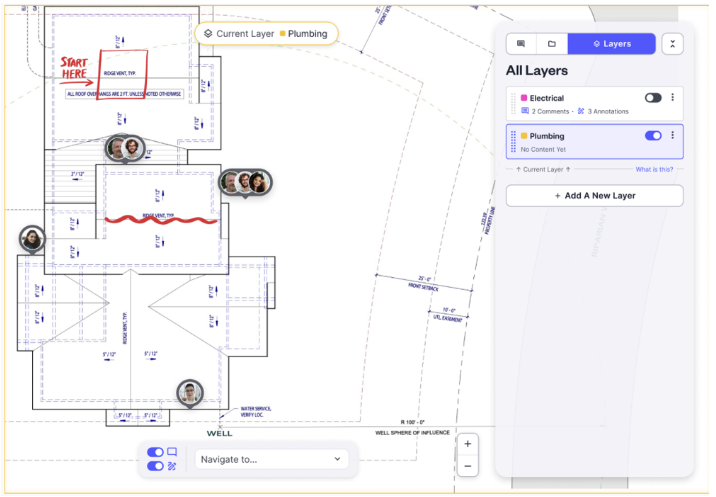
Easily collaborate with trades (electrician, plumbing, low voltage) by creating layers to comment, annotate, markup, and communicate changes. Layers can be isolated or turned on allowing the ability to view multiple layers at one time by overlaying markups.
Workspaces
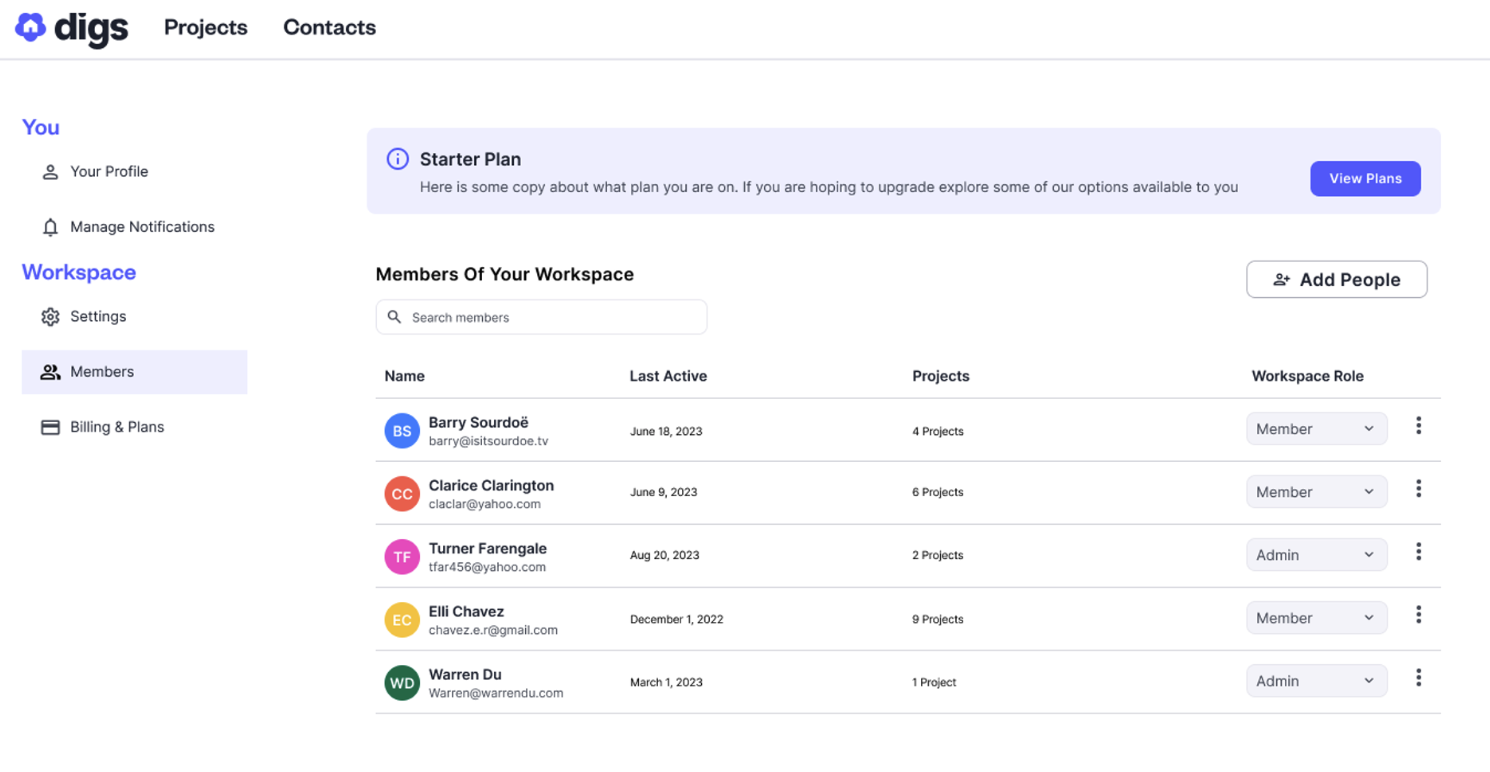
Invite your team members to have a unified experience, collaborate seamlessly on projects, and efficiently manage subscriptions, all in one centralized platform. With our user-friendly interface, you can easily create and organize workspaces, allowing you to share projects, information, updates, and other important resources with your team.
Did you know?
Whether collaborating, annotating or moving around on a blueprint in Digs, you can quickly navigate around Digs using shortcut keys. Below are a list of shortcut keys that can be used with Digs.
M: Move Mode
A: Annotate Mode
C: Comment Mode
Hold Space: In Annotate or Comment mode to temporarily enable moving
Hold Shift: When creating shapes in annotation mode to make them perfectly proportional or when drawing an arrow, create a straight line at 45 and 90 degree angles
Esc: To get out of Annotate or Comment mode quickly
Shift+Enter: To get a new line in Comment mode without posting the comment