Release Notes: Project Permissions and File/Folder improvements (September '23)
Organization of Files and Folders
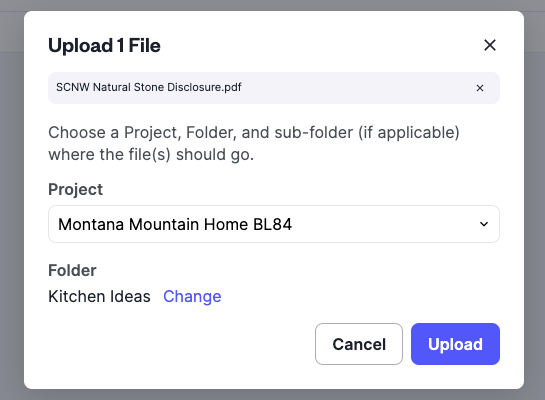
Organizing your files and folders is now easier! Whether uploading, sharing or collaborating, you now have unlimited ways to organize a file structure that fits your business use case and needs.
A new recent folders list and the ability to add folders on the fly makes it easier than ever to organize your folders and files. Folders can now be organized using a multi level structure with the ability to invite collaborators for private discussions or share with everyone on the project.
Project Permissions
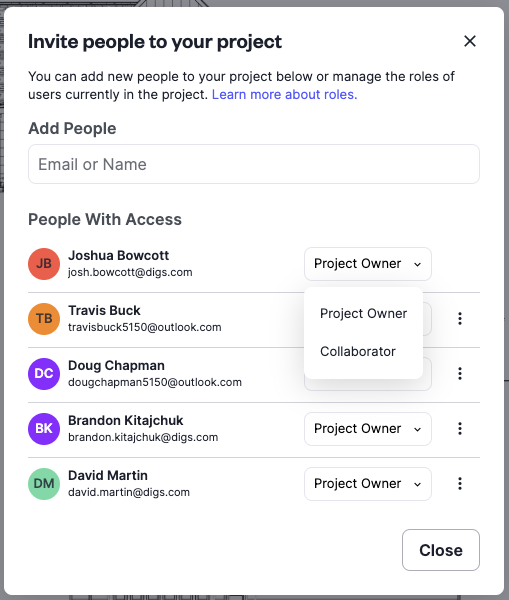
Digs project permissions will allow users that are part of Digs or invited to a Digs project to be Project Owners or Project Collaborators. This will allow Digs users the ability to specify different access levels to allow project managers the ability to limit certain functionality or grant access as needed. A project can now have multiple project owners to allow for those projects requiring more attention and access.
Project owners have full access to features and functionality with the ability to manage projects including creating projects, inviting collaborators, creating private folders, and managing permissions. When inviting users to a project, you now have the ability to set their role. Collaborators are able to invite other collaborators, upload documents, create tasks and more.
Ability to Upload Images to User Profile
Upload an image to your user profile. This image will be used throughout Digs when collaborating and be displayed as a member of a project. As an option, when logging in with your Google SSO your image will be used in your user profile.

What’s Coming
Measurement Tool
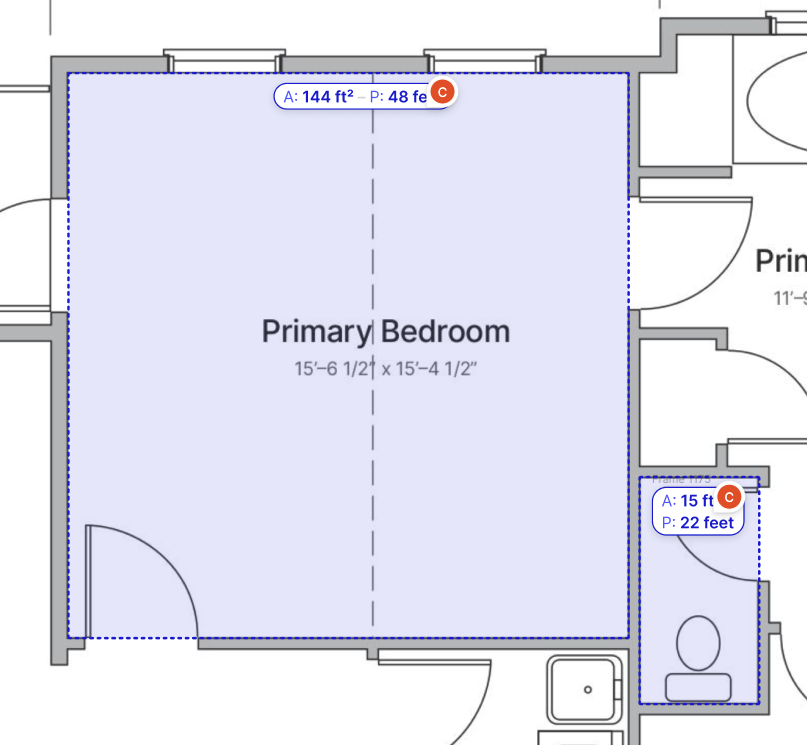
We're currently working on the ability to measure directly within Digs on your floor plan. Digs users will be able to capture square footage and linear footage, making it easy to create estimates for materials, products, and more.
Layers
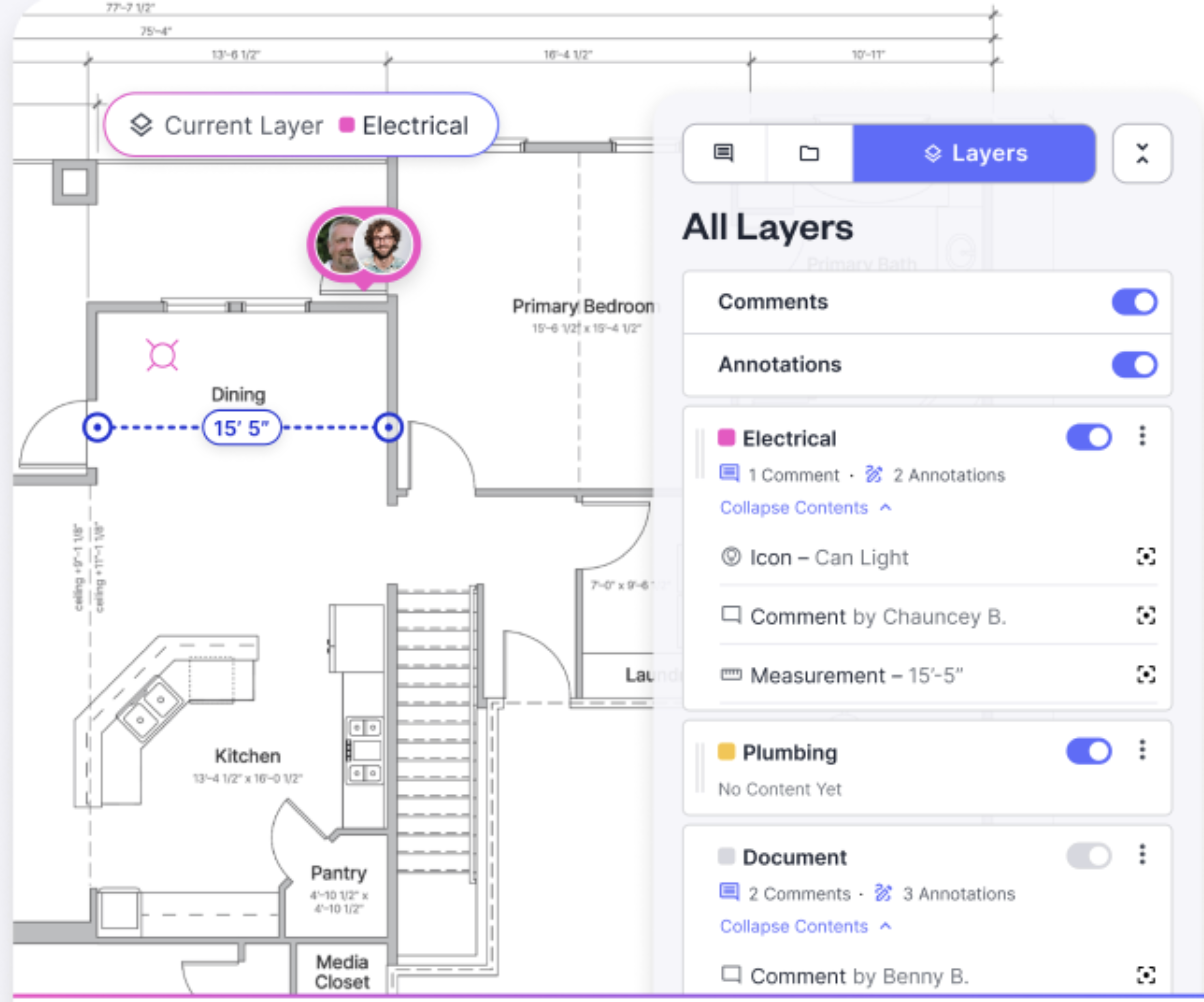
Easily collaborate with trades (electrician, plumbing, low voltage) by creating layers to comment, annotate, markup, and communicate changes. Layers can be isolated or turned on allowing the ability to view multiple layers at one time by overlaying markups.
Did you know?
You can easily add files to Digs by dragging and dropping from your desktop or files on your computer? Simply select a file you want to upload to Digs and drag to the Digs application. You’ll be prompted to verify the Project and Folder and then click Upload.